Connection Panel
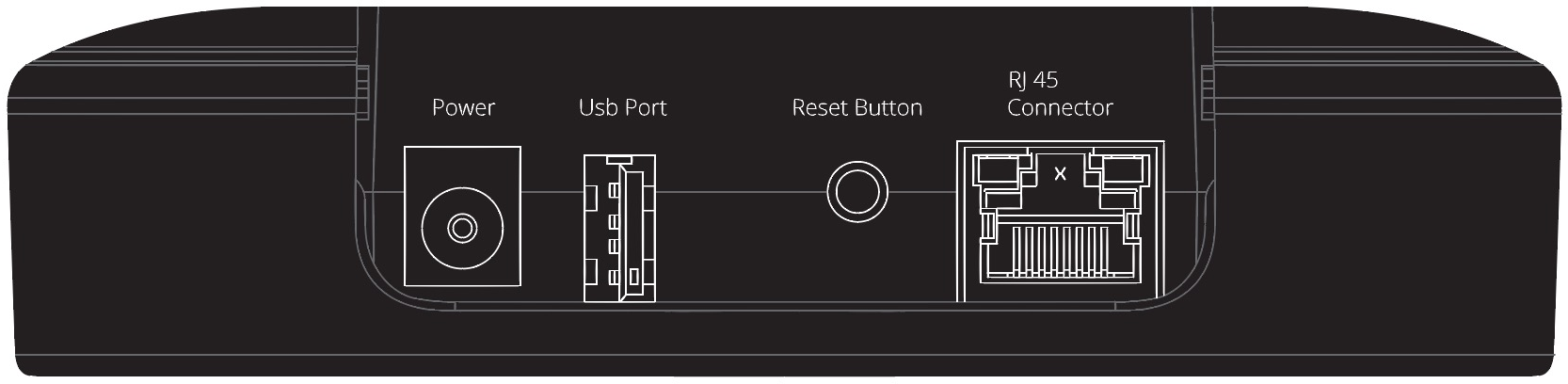
Located on the back of the BLI:
- Power: Powers the BLI.
- USB Port: The USB port can be used for connections via RS232 or for service purposes.
- System Reset Button: Press & hold for 8 seconds to reboot the system.
- RJ 45 Connector: For connecting the BeoLiving Intelligence to a local network (PoE capable).
User Led and Button
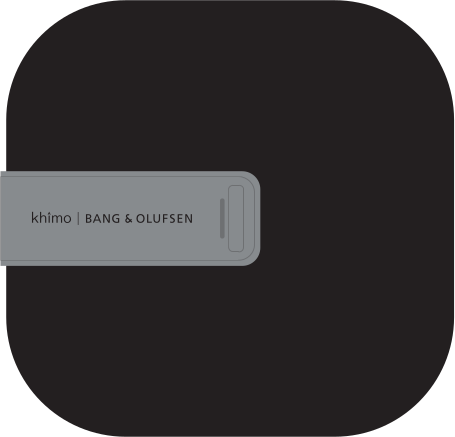
- User LED: The user LED is used to signalize the current state of the BLI, using different colours and ON-OFF pattern combinations. Colours could be Green, Red or Yellow and the patterns could be Solid, Flash and Quick Flash. For more information about different BLI LED states refer to Led States section.
- User Button: This button is intended for user confirmation and button function input. For more information refer to Button Functions section.
Led States
All the possible user LED states with their respective meaning are shown in the following table.
| Activity | LED state |
|---|---|
| Normal operation | Solid Green |
| Critical error | Red / Yellow flash |
| Firmware update | Green quick flash |
| Loading configuration | Green quick flash |
| Waiting for User confirmation | Green / Yellow quick flash |
| User confirmation acknowledge | Solid Yellow |
| Boot | Red / Yellow transition |